crawfish
New Member
- OS Version(s)
- Windows
- iOS
- Outlook version
- Outlook 365 64 bit
- Email Account
- IMAP
Operating system:: Windows 11 25H2
Outlook version: New Outlook
Email type or host: Gmail/IMAP
Outlook version: New Outlook
Email type or host: Gmail/IMAP
I've tried using Gmail filters to replace the rules I used in Classic Outlook to apply labels to incoming email, the intent being to move them into folders upon retrieval in New Outlook that mimic what I had in Classic Outlook. This works, but there are issues in New Outlook. I'm using the version I downloaded from the store yesterday, New Outlook 1.2025.1111.100. I was using POP in Classic Outlook, and I'm now using IMAP in New Outlook.
1. Mail counters on the New Outlook folders don't appear until I enter the folders, and it takes a couple seconds to populate with the new mail. This is not great. The counters do appear immediately in Gmail, both on its folders (labels) and Inbox.
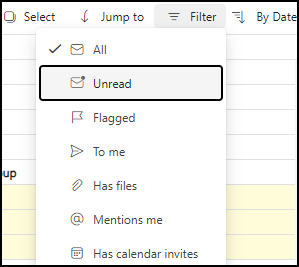
2. New Outlook lacks Classic's "Unread Mail" Search View, so in New, I have to view new mail in the Inbox proper, where the mail counter works as expected.
3. Removing read mail I want to keep from the Inbox can only be done by moving it into another folder or Archiving it. Well, the purpose of the filter is to move it into folders automatically, so that leaves Archiving. Archiving works fine when done in Gmail; it simply removes the Inbox label, and the mail disappears from Gmail's Inbox, while the other label lives on. However, Archiving in New Outlook may or may not create a second copy of the mail in its Archive folder, depending on whether I've viewed it in the target folder for the Gmail filter. Bizarrely, if I do view the folder and see the mail there before Archiving from Inbox, the mail will appear in Archive and disappear within a second or two. If I don't view the folder first, the copy in Archive will be persistent, so there are now two distinct copies of the mail, with the one in Archive not represented in Gmail, not even under its "All Mail" label. There really are two copies in new Outlook, as I can delete them from both New Outlook's target folder and Archive, and both show up in its Deleted Items.
Does this sound familiar to anyone? I simply can't use New Outlook as the client for Gmail with these sorts of inconsistent behaviors going on.
Also, New Outlook doesn't give me feedback when mail is being retrieved on its indeterminate schedule, not even when I manually sync, and it's slow. I press F9, and then I have to twiddle my thumbs for 10 seconds while nothing appears to be happening.
1. Mail counters on the New Outlook folders don't appear until I enter the folders, and it takes a couple seconds to populate with the new mail. This is not great. The counters do appear immediately in Gmail, both on its folders (labels) and Inbox.
2. New Outlook lacks Classic's "Unread Mail" Search View, so in New, I have to view new mail in the Inbox proper, where the mail counter works as expected.
3. Removing read mail I want to keep from the Inbox can only be done by moving it into another folder or Archiving it. Well, the purpose of the filter is to move it into folders automatically, so that leaves Archiving. Archiving works fine when done in Gmail; it simply removes the Inbox label, and the mail disappears from Gmail's Inbox, while the other label lives on. However, Archiving in New Outlook may or may not create a second copy of the mail in its Archive folder, depending on whether I've viewed it in the target folder for the Gmail filter. Bizarrely, if I do view the folder and see the mail there before Archiving from Inbox, the mail will appear in Archive and disappear within a second or two. If I don't view the folder first, the copy in Archive will be persistent, so there are now two distinct copies of the mail, with the one in Archive not represented in Gmail, not even under its "All Mail" label. There really are two copies in new Outlook, as I can delete them from both New Outlook's target folder and Archive, and both show up in its Deleted Items.
Does this sound familiar to anyone? I simply can't use New Outlook as the client for Gmail with these sorts of inconsistent behaviors going on.
Also, New Outlook doesn't give me feedback when mail is being retrieved on its indeterminate schedule, not even when I manually sync, and it's slow. I press F9, and then I have to twiddle my thumbs for 10 seconds while nothing appears to be happening.