Activities in Outlook

Status
Not open for further replies.

SMB

New Member
Outlook version
Outlook 365 64 bit
Email Account
Office 365 Exchange
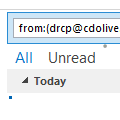
As most on this forum probably agree, it was a sad day when MS removed the activities tab. I recently can across this VBA code to create an activates search, run running it I get an error, see below in red. Is this repairable, made to work for o365?

I will also attempt to get Search for All Messages from Contact and Display in New Window working.

Thank you all in advance for your help and contributions.

Sub FindContactActivities()

'=================================================================
'Description: Outlook macro to find all items related to a contact
' similar to the Contact Activities feature.
'
' author : Robert Sparnaaij
' version: 1.0
' website: Reviving the Contact Activities feature in Outlook 2013 - HowTo-Outlook
'==================================================================


If Application.Session.DefaultStore.IsInstantSearchEnabled Then

Dim olkExplorer As Outlook.Explorer
Set olkExplorer = Application.Explorers.Add(Application.Session.GetDefaultFolder(olFolderInbox), olFolderDisplayNormal)

Dim oItem As Object
Set oItem = Application.ActiveInspector.CurrentItem

If oItem.Class = olContact Then
Dim myContact As Outlook.ContactItem
Set myContact = oItem

Dim myContactAddress As String
Dim myContactName As String

myContactAddress = myContact.Email1Address
myContactName = myContact.FullName


Dim olkFilter As String

'Linked Contacts
olkFilter = "contactnames:(" & Chr(34) & myContactAddress & Chr(34) & " OR " & Chr(34) & myContactName & Chr(34) & ")"

'From this contact
olkFilter = olkFilter & " OR " & "from:(" & Chr(34) & myContactAddress & Chr(34) & " OR " & Chr(34) & myContactName & Chr(34) & ")"

'To this contact
olkFilter = olkFilter & " OR " & "to:(" & Chr(34) & myContactAddress & Chr(34) & " OR " & Chr(34) & myContactName & Chr(34) & ")"


Call olkExplorer.Search(olkFilter, olSearchScopeAllOutlookItems)

Call olkExplorer.Display

Else

MsgBox "Please run this command from an opened Contact item.", vbExclamation, "Open a Contact item"

End If

Set olkExplorer = Nothing
Set myContact = Nothing

Else

MsgBox "Search Indexing is not enabled for this mailbox." & vbNewLine & vbNewLine & _
"If you are using an Exchange account, make sure that Cached Exchange Mode is enabled" & _
vbNewLine & vbNewLine & _
"To troubleshoot Search Indexing see: " & vbNewLine & _
"Fixing Instant Search - MSOutlook.info", _
vbExclamation, "Search Indexing not enabled"

End If

End Sub
 
Diane,

Yes, thank you they both worked. I just needed to change the name of the macro (showing my novice-ness).

Do you know of a way to include tasks in these searches? I am trying to use tasks as opposed to the Journal.

I also notice I have companies in a tool I used from MapiLab, but they do to show in the folders list. That would be nice is they did.

I am trying to build the simple features I used from BCM into O365.

Thanks again for your help.

Stuart
 
The scope for that would be olSearchScopeAllOutlookItems but to/from field shouldn't work on the contact field (assuming you linked it to a contact). I'll see what needs changed to work on everything.
 
Status
Not open for further replies.
Similar threads
Thread starter Title Forum Replies Date
Werewolf Workaround for the missing Activities tab in Contact Folder Properties in Outlook 2010? Using Outlook 2
Diane Poremsky Outlook 2010 & Contact Activities Using Outlook 0
F Outlook 2010 Activities search finds nothing Using Outlook 4
J Outlook replacement options - contact journal activities lost Using Outlook 23
C Tracking Activities in Outlook Calendar Using Outlook 1
S Outlook 2010: How do you enable Contacts' Activities to search archive folders Using Outlook 6
N Moving communication history and activities from BCM to OUtlook BCM (Business Contact Manager) 2
N Moving contacts and activities from BCM to OUtlook BCM (Business Contact Manager) 4
N contact notepad 'style' getting changed after clicking and running Activities Using Outlook 2
P activities tab 2013 Using Outlook 1
J Cannot Find Activities 2010 Using Outlook 14
R Activities - Speeding up retrivel Using Outlook 1
L any trick to embedding images in new outlook and outlook on the web contacts? Using Outlook 1
L new outlook contacts searching Using Outlook 4
R Outlook 2010 Outlook 2010 migration question Using Outlook 2
W New Outlook PEOPLE blank Using Outlook 7
C New Outlook issues with Gmail, particularly labels/folders Using Outlook 4
E What is the next workaround for macro in New Outlook 1.2025.1111.100 Outlook VBA and Custom Forms 3
E Need to digitally sign macro but VBA\Outlook crash Outlook VBA and Custom Forms 4
P Outlook 2003 no longer opens "without" Folder List Showing in Navigation Pane Using Outlook 2
Hornblower409 Outlook 2010 - Never ending update Using Outlook 0
V Outlook created new profile? Using Outlook 1
J Outlook inbox question Using Outlook 4
T How to Add AT&T Contacts to Outlook 365 Using Outlook 7
F Outlook 2021 outlook on iPhone Using Outlook 1
F Outlook 2021 Outlook on iPhone asks for password Using Outlook 0
P ics calendar entries suddenly open up new Outlook Using Outlook 3
P Outlook "forgets" password until system rebooted Using Outlook 2
N Why does Outlook keeping adding to the email address I have in my notes portion of a contact? Using Outlook 2
M Anyone integrated AI website builders with Outlook for automated client communications? Using Outlook 1
V Gmail in Outlook Using Outlook 2
T Where has the Copilot icon gone in my Outlook desktop client? Using Outlook 7
P New way by Microsoft to get people to use the new Outlook Using Outlook 4
C How to keep emails in account in Outlook after closing the IMAP account Using Outlook 1
cymumtaz IMAP calendars in New Outlook Using Outlook 5
T Constantly Have To Log In To Outlook On The Web Using Outlook.com accounts in Outlook 2
T Cannot Find Outlook Noted On Android Using Outlook 4
O Outlook 2024 not showing that messages are replied to or forwarded Using Outlook 3
C Outlook 365 send/receive takes FOREVER - as in 40 minutes Using Outlook 7
I Outlook 2024 LTSC syncing with iCloud calendar - can only make appt. in iCloud Using Outlook 2
Kika Melo Outlook ribbon customisations do not 'stick' Using Outlook 12
J IMAP Folders Confusion in Windows Classic Outlook Using Outlook 1
A Missing Sent Emails in New Outlook Using Outlook 18
S Missing categories in Outlook calendar Using Outlook 10
P Windows 11 tries to open New Outlook when the user clicks on the mail icon on a news article Using Outlook 2
C I don't understand Outlook or Microsoft, anymore Using Outlook 12
P My Feedback to Microsoft and their response; also New Outlook roadmap Using Outlook 0
A New Outlook - Cannot drag IMAP emails to Task List in MyDay Using Outlook 1
L Android Outlook Doesn't Update PC Notification Changes Using Outlook 0
A How to open Excel file saved in Outlook folder? Outlook VBA and Custom Forms 4

Similar threads

Back
Top