
I recently got a new office computer, and with it came Windows 11 and Office 365, but previously I had been on Windows 10 and Office 2019. After making the switch, some of my contacts display on email address lists with the prefixes, but some don't. I would prefer not to display prefixes, (I really only use those for merging into letters and forms). My chosen default display type is: FirstName Lastname (email@domain.ext) ... and when I'm adding this contact to an email thread they display as: FirstName LastName. With the borked contacts, when I add them to an email thread they display as: Mr. FirstName LastName. Also these contacts seem to be filing as if Mr. were a first name, not a prefix. So Mr. FirstName LastName wouldn't be filed as FL, he would be filed as MF (Examples below).
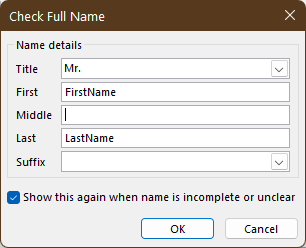
I would like to post a screenshot to explain what's happening, but I can't do that without exposing a lot of personal information. I can't replicate this issue when I create a new contact, so this must have something to do with how the contacts are stored or picked up from Exchange, I think. Please see screenshots below for a sample name check and email & display as fields for an example on how I format my contacts.


As an aside, while trying to copy one of those contacts and remove personal information so I could post an example, I discovered that there was a lot of additional contact information shown in the display pane (screenshot below, in case my description isn't the right terminology) that didn't display in the actual contact card, and I couldn't figure out how to edit any of that extra information, or even get it to display in the contact card. One of the added pieces of information was a telephone number, and that number didn't appear in any of the optional telephone number fields.
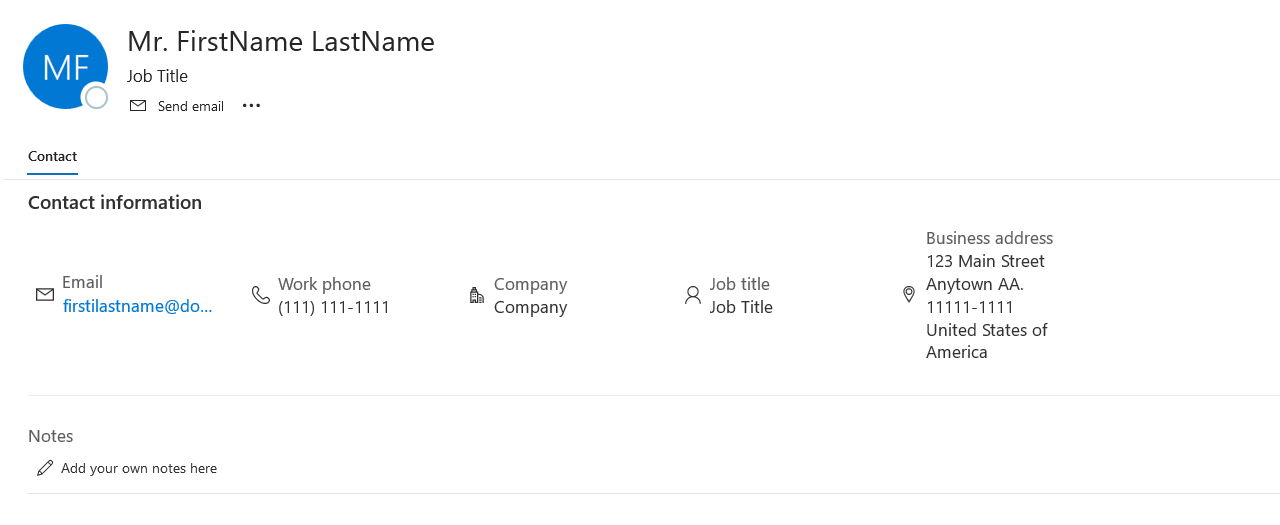
Any explainers or tips would be welcome. I have been using Outlook and Office products pretty much since they were introduced, but 365 seems to have a lot of curve balls!
I would like to post a screenshot to explain what's happening, but I can't do that without exposing a lot of personal information. I can't replicate this issue when I create a new contact, so this must have something to do with how the contacts are stored or picked up from Exchange, I think. Please see screenshots below for a sample name check and email & display as fields for an example on how I format my contacts.

As an aside, while trying to copy one of those contacts and remove personal information so I could post an example, I discovered that there was a lot of additional contact information shown in the display pane (screenshot below, in case my description isn't the right terminology) that didn't display in the actual contact card, and I couldn't figure out how to edit any of that extra information, or even get it to display in the contact card. One of the added pieces of information was a telephone number, and that number didn't appear in any of the optional telephone number fields.
Any explainers or tips would be welcome. I have been using Outlook and Office products pretty much since they were introduced, but 365 seems to have a lot of curve balls!


