Mail not showing in created folder

Steve Mc

Senior Member
Outlook version
Email Account
POP3
Operating system::    Windows 11
Outlook version:     Office 2024 Classic
Email type or host:    POP xxx@sbcglobal.net

I created various rules to move incomimg mail to specific folders. The rule does move it out of the inbox, but when I go to that folder, the mail does not show. When I do a search for that mail, it does show that that particular mail is correctly in the folder it's supposed to be in, but when I go to the actual folder, the mail does not show. ( Prompt -> we didn't find anything to show here), though ALL is selected. And changing the view does not change anything.
Please advise,
Thanks,
 
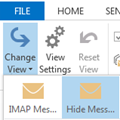
Did you reset the view on the folder or try a different view? It sounds like the view is hiding the messages.
I did try resetting the view on one of the folders, but nothing changed. And its the same on all my folders.

Also, weirdly, yesterday, they were there, but today they're missing.
 
There have been some reports of folders appearing empty and of folders disappearing. The messages and folders exist, just not visible. I thought only Microsoft accounts were affected.
A bit of an update regarding ruled missing emails:

I have a rule that moves email to a folder. It appears to run, because it is removed from the inbox. However, when I go to the folder it’s supposed to be in, it’s not there. If I do a search of all folders, it finds it, and indicates that it’s in the folder it’s supposed to be in, but when I leave the search widow and go to that folder, it doesn’t show. Very frustrating.
 
A bit of an update regarding ruled missing emails:

I have a rule that moves email to a folder. It appears to run, because it is removed from the inbox. However, when I go to the folder it’s supposed to be in, it’s not there. If I do a search of all folders, it finds it, and indicates that it’s in the folder it’s supposed to be in, but when I leave the search widow and go to that folder, it doesn’t show. Very frustrating.
This is for a pop3 account, correct?

You said you reset the view - did you try a different view?

Note: if the PST file was create by exporting from imap, it's definitely the view.
 
Yes, Pop 3 .

By resetting the view, do you mean Comapct, Single or Preview ? I've tried all 3 of those, and nothing changes.

The pst was from pop, not imap. But these are new rules I've created trying to replicate the rules that worked in Outlook 2007.
This is for a pop3 account, correct?

You said you reset the view - did you try a different view?

Note: if the PST file was create by exporting from imap, it's definitely the view.
 
Yes, Pop 3 .

By resetting the view, do you mean Comapct, Single or Preview ? I've tried all 3 of those, and nothing changes.

The pst was from pop, not imap. But these are new rules I've created trying to replicate the rules that worked in Outlook 2007.
Yes, Pop 3 .

By resetting the view, do you mean Comapct, Single or Preview ? I've tried all 3 of those, and nothing changes.

The pst was from pop, not imap. But these are new rules I've created trying to replicate the rules that worked in Outlook 2007.

For a visual of my problem. Here is a screenshot of an email search of Amazon in all mailboxes, showing 3 Amazon emails in my Amazon folder from today.
1776729705997.png


And here is screenshot of my Amazon folder, with only one email showing. And I'm actually not sure if the markeplace email was actually moved there by a rule, or if I manually moved it there. But you can see that the other 2 that search indicated that they are in the Amazon file are not.
1776729808126.png
 
Similar threads
Thread starter Title Forum Replies Date
O How to prevent CC from showing when creating a new mail? Using Outlook 1
M Sent mail not showing in Sent Items folder; but they can be found with Search Using Outlook 3
M Sent mail not showing in my sent folder Using Outlook 9
G "on behalf of..." not showing on Sent e-mail copy, but is on Delivered copy Using Outlook 5
F All my mail in All mail not showing Using Outlook 3
S How to automate showing the Public Folder Calender to Mail Favorite folder Using Outlook 0
P Messages stuck in Outbox - actually a Comcast mail client issue Using Outlook 3
P Windows 11 tries to open New Outlook when the user clicks on the mail icon on a news article Using Outlook 2
Victor_50 Outlook 365 Extract all mail addresses and names from a pst file to csv. Using Outlook 3
Rupert Dragwater Mail won't show as read Using Outlook 2
M Outlook 365 Amending code so macro runs within current new mail window Outlook VBA and Custom Forms 0
O Junk E-mail Options disabled(?) Using Outlook 3
E Replying to a plain text e-mail with HTML Using Outlook 2
P Limited Support for 3rd Party Mail in new Outlook? Using Outlook 1
T Exchange Server - Mail Delay Stamping Exchange Server Administration 0
L Error when exporting Sent Mail to Excel Outlook VBA and Custom Forms 6
X Run macro automatically when a mail appears in the sent folder Using Outlook 5
K How can I delete an e-mail from Outlook Using Outlook 1
L Help: set flag for sent mail to check if received an answer Outlook VBA and Custom Forms 2
A Macro Mail Alert Using Outlook 4
e_a_g_l_e_p_i MY Outlook 2021 changed the format of the shortcuts for mail, calendar etc. Using Outlook 10
Z Outlook 365 Automatically assign categories to incoming mail in a shared folder Round Robin Outlook VBA and Custom Forms 1
W Outlook 365 I am getting the "Either there is no default mail client" error when I try to send an email on excel Office 365 Using Outlook 1
D Gmail mail is being delivered to a different email inbox in Outlook App 2021 Using Outlook 2
P What is your strategy for dealing with SPAM and Junk Mail? Using Outlook 1
C Code to move mail with certain attachment name? Does Not work Outlook VBA and Custom Forms 3
T 1:1 Datatransfer from incoming mail body to customs form body Outlook VBA and Custom Forms 0
O Mail rule issue Using Outlook 3
A manual rule sends mail to wrong folder Using Outlook 5
Aussie Outlook 365 Rule runs manually but returns the error code "an unexpected error has occurred" when incoming mail arrives Using Outlook 1
D ISOmacro to extract active mail senders name and email, CC, Subject line, and filename of attachments and import them into premade excel spread sheet Outlook VBA and Custom Forms 2
Witzker Outlook 2019 Macro to answer a mail with attachments Outlook VBA and Custom Forms 2
D Outlook 2003 Mail Fails Using Outlook 1
Cathy Rhone Mail merge error message Using Outlook 1
R Sent emails show iCloud mail account not the alias Using Outlook 2
D Advanced e-Mail search on from/to contact group only searches for first 20 contacts in group Using Outlook 0
P Print attachments automatically and move the mail to an existing folder called "Ted" Outlook VBA and Custom Forms 4
P Importing other e-mail accounts into Outlook Using Outlook 1
lcarpay Stay in the mail folder pane after ctrl-1 Using Outlook 1
O Exchange Sync period only (e.g. last years mail) Using Outlook 0
F Excel VBA to move mails for outlook 365 on secondary mail account Outlook VBA and Custom Forms 1
M Convertor for Outlook Express Mail Store (.dbx) to Outlook Mail Store (.pst) Using Outlook 0
T vba extract data from msg file as attachment file of mail message Outlook VBA and Custom Forms 1
J E-mail held in Outbox while Minimized Using Outlook 3
G Forward email body to other mail list directly from Exchange server Exchange Server Administration 1
T Outlook creates a copie of every mail I send Using Outlook.com accounts in Outlook 4
N Please advise code received new mail Using Outlook 0
A How to stop user form from disapearing once mail window is closed? Outlook VBA and Custom Forms 0
M Outlook, send to > mail recipient - results in plain text email Using Outlook 1
R How to Sync *all* Google Workspace Mail Folders with Outlook 2019 (MS365) Using Outlook 3

Similar threads

Back
Top