Chris Bedford
Member
- OS Version(s)
- Windows
- Outlook version
- Outlook 365 64 bit
- Email Account
- IMAP
Operating system:: Windows 11
Outlook version: Classic Outlook
Email type or host: SMTP
Outlook version: Classic Outlook
Email type or host: SMTP
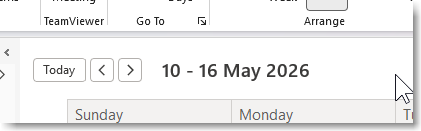
In the top left corner of the calendar (in week view; I've never used any other so I wouldn't know) I used to have prev / next buttons, "Jump to Today" button, and the dates currently displayed, like this
[ < ] [ > ] [Today] 10 - 16 May 2026
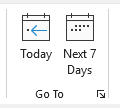
But some time in the last week or two, "Today" has disappeared. I often have to flip around to see other days, but I need to keep only one week displayed so I can see hour-by-hour details and this is going to make admin even more tedious than it already is. WHY, MICROSOFT, WHY?
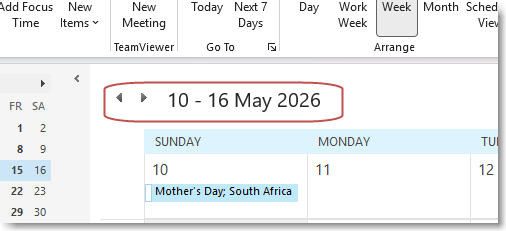
[ < ] [ > ] [Today] 10 - 16 May 2026
But some time in the last week or two, "Today" has disappeared. I often have to flip around to see other days, but I need to keep only one week displayed so I can see hour-by-hour details and this is going to make admin even more tedious than it already is. WHY, MICROSOFT, WHY?


 )
)