
Second calendar Template/Form Invitation

Status
Not open for further replies.

E Laree

Member
Outlook version
Outlook 2010 32 bit
Email Account
Exchange Server
I have created a second calendar to share with others, giving them write permit. I will be sending an invitation regarding the subject matter, just different dates and times; therefore I would like to create a template invitation for this calendar (not my main).

How do I go about associate/saving the form/template to the second calendar that I want. Meaning, when I save it (goes to User Templates in File System...) but when I retrieve it, it opens up attached to my "main" calendar.:confused: I want it to open in the second one created instead?
 
you can't link a form to a folder unless you use VBA. The appt is placed in the default calendar if you are anywhere in the mailbox - except if you are viewing another calendar folder. So.. open the calendar folder where you want it then open the form. If you publish it as a custom form to the second calendar, you can set it as default for that calendar.
 
So I asked this question sometime ago and now in relation to the same question. How do I do this (create/publish form) within a shared calendar, not my personal or second calendar?
 
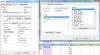
Is that the same a creater of the calendar because I'm suppose to be listed as 1/of 3 owners. The calendar was created with Reviewers and Schedulers, how do I check ownership?
 
Right click on the calendar and choose Properties - your permissions will be on the permissions tab. If you can't see the tab, you aren't an owner.


How did you open it in your profile? If you use File, Account settings, double click on account, More Settings, Advanced to Add the mailbox, then you should be able to publish to the folder.
 
The person in IT that assisted me in setting it up this way because they will be moving away from Public Folders, helped me placing our dept it into a calender and uploading into my Calendar list. Anyone that's a reviewer/scheduler will be able to so. I've been working on this for two days now, and NO ONE in our IT knows how to work with this issue. I'm so confused at this point, do you take/make phone calls. (404) 727-9955.

Permissions.jpg
 
As an FYI, if you need to have the mailbox owner publish it, you can use VBA to automate it - see http://support.microsoft.com/kb/186437 for details (its for outlook 98 but works with newer versions too.)

if you have the right permissions, you can use this method to publish forms without opening it in your profile - this uses the method in the KB article. This sample does a plain form with a new name - so it need a little tweaking. I need ot go make supper - will look at it again later.

Code:
     Option Explicit
      Dim olNS
      Dim MyFolder
      Dim MyItem
      Dim MyForm
      Dim myRecipient
      Sub CommandButton1_Click()
         Set olNS = Item.Application.GetNamespace("MAPI")
         Set MyFolder = olNS.GetDefaultFolder(9) 'calendar
         Set MyItem = Application.CreateItem(1)  'appt
         Set MyForm = MyItem.FormDescription
  Set myRecipient = olNS.CreateRecipient("maryc")
  myRecipient.Resolve
  If myRecipient.Resolved Then
     Set MyFolder = olNS.GetSharedDefaultFolder (myRecipient, 9)
  End If
         MyForm.Name = "MyAppt"
         MyForm.PublishForm 3, MyFolder          '3=olFolderRegistry
         Item.Close 1                            '1=olDiscard
      End Sub
 
Thanks for your all your help. I'll get the permission straighten and keep you updates.
 
As an FYI (and to correct my earlier comments) you need Folder visible and Create permissions - Nonediting author level (or custom) - not owner.

I have a write up here - publish forms to other mailboxes
 
Status
Not open for further replies.
Similar threads
Thread starter Title Forum Replies Date
Hobbes Outlook 365 Calendar spreads into second calendar Using Outlook 3
S Copy Events to Second Calendar or Sync Only "Busy" Events Using Outlook 5
F Want to add second email to Outlook for business use Using Outlook 4
P Comcast IMAP broken but their second level support said to call "the Outlook company" Using Outlook 4
C Outlook 2013 Task Recurrence - Third Friday After the Second Tuesday Using Outlook 2
A VBA macro for 15 second loop in send and received just for 1 specific mailbox Outlook VBA and Custom Forms 1
A Outlook downloading 1kb per second or less Using Outlook 0
lotsbg Loads of junk in second email needs fixing Using Outlook 1
M How do I mark emails already received as read when I get a second, different email based on subject? Outlook VBA and Custom Forms 3
M Custom form on one page to post contents on second page Outlook VBA and Custom Forms 0
C Second and Third email fields? BCM (Business Contact Manager) 2
S unable to send email from my second address (outlook 2007) Using Outlook 2
D Save sent email in second account not default account? Using Outlook 1
J Reminders dismissed on one computer re-appear on Outlook on second computer Using Outlook 1
R Duplicating Category Colors For Second User Using Outlook 1
B Two server DAG setup, second server EMC not opening Exchange Server Administration 3
R Adding Second Business Contact Group BCM (Business Contact Manager) 1
C BCM database second user BCM (Business Contact Manager) 1
C Outlook-can I set up second email account using my BCM (Business Contact Manager) 1
P ics calendar entries suddenly open up new Outlook Using Outlook 3
G Forms error on iCloud calendar Using Outlook 18
V select default calendar Outlook VBA and Custom Forms 3
I Outlook 2024 LTSC syncing with iCloud calendar - can only make appt. in iCloud Using Outlook 2
I Cant delete an appointment in Calendar Using Outlook 2
S Missing categories in Outlook calendar Using Outlook 10
M Calendar items have a pale pink blushing Using Outlook 3
P Windows 11/Office 365 - can't forward calendar entry as ics file Using Outlook 3
O How to share calendar categories? Using Outlook 4
T Cannot delete a calendar Using Outlook 0
A OL24 Calendar folder pane too narrow Using Outlook 9
F Sync Outlook Calendar Using Outlook 0
F Show events in Monthly Calendar Using Outlook 3
E Subscribing to another calendar when each party uses Office 365 Family Using Outlook 3
M Retaining old contacts and calendar in new account setup Using Outlook 6
P Email and calendar entry text now shifts right about 3 tabs worth of space Using Outlook 1
N Best way to sync calendar and contacts between Outlook 365 and Outlook on iPhone Using Outlook 4
H Macro to Delete Duplicate items in Outlook calendar where title is the same and date is the same Outlook VBA and Custom Forms 0
J Emails with .ICS calendar invitations attached don't contents when received in Outlook 365 Using Outlook 6
O Any 3rd party tool that sync (mirror) from Outlook Calendar to Google Calendar? Using Outlook 5
Fozzie Bear Calendar Events created on iPhone have suddenly start sending invitations to attendees Using Outlook 2
J Set calendar default to 'none' (policy) Exchange Server Administration 3
J Calendar events created on iPhone automatically changing default alert from 'None' to 'Time of Event' Using Outlook.com accounts in Outlook 0
G Outlook 365 My iCloud Outlook doesn’t work after reinstalling Microsoft365 on Windows 10 PC – now I get error message on contacts and calendar Using Outlook 1
G Creating Macro to scrape emails from calendar invite body Outlook VBA and Custom Forms 6
U When opening shared Calendar "The set of folders cannot be opened" Using Outlook 0
P Can no longer sync Outlook with iPhone calendar after iPhone update to 17.1.1 Using Outlook 7
P turn off the default "all day" check box in new calendar items. How? Using Outlook 1
A Outlook 365 New Appointments All saved to a 365 default calendar on Mac Using Outlook 0
V Unchecking my calendar and leaving shared one visible Outlook VBA and Custom Forms 1
V VBA Categories unrelated to visible calendar and Visual appointment Categories Outlook VBA and Custom Forms 2

Similar threads

Back
Top