POP vs. IMAP

Steve Mc

Senior Member
Outlook version
Email Account
POP3
Operating system::    Windows 11
Outlook version:     Office 2024 Classic
Email type or host:    stevemc209@sbcglobal.net

This is probably a pretty lame question, but I’ve been burned before by doing things on my own without the proper research.

I have POP accounts on my Windows 11 laptop. Microsoft helped me create 2 IMAP accounts on my new 2024 Desktop Outlook. Surprisingly, to me, those accounts showed up on my iPhone Yahoo mail app. Previously, only one of my POP accounts was on the Yahoo mail app. I removed one of those accounts from Outlook, and got the prompt something to the effect do I want to remove it from this only, or all my devices. I chose this only, but I guess because of that answer, that account is still showing on my iPhone Yahoo mail app. I don’t want that data there, and want to go back to just one of the POP accounts on that Yahoo mail App. I also was leery if I totally removed that IMAP account, would it affect my POP accounts on my laptop. Logic tells me no, but like I said, I’ve been wrong before.

Simply stated, how could I remove those IMAP accounts without doing any damage to my existing POP accounts ?

Thanks again for your patience with me.
 
Removing the IMAP accounts from Outlook won't affect the POP version on the other computer.

Are you using the Yahoo app on the phone? That is not related to Outlook - and is likely showing the account because you added it to it or signed into the app using your address. You can turn them off or delete in the yahoo app - click on your avatar in the upper left, scroll to the bottom and click manage accounts.

The message in Outlook to remove the account from all devices only removes it from the new Outlook apps, not classic Outlook or 3rd party apps. They ask because new Outlook for windows, Outlook for mac, and the Outlook phone apps use the Microsoft cloud and if you use say Yes, the cloud account is deleted.
 
Thank you.

Yes I am using tne Yahoo app on my phone for only 1 att.net account. At least I was originally, untill all those IMAP accounts showed up.
Also, in manage accounts, there are 3 accounts showing, but 2 are grayed out, and it doesn't allow me to delete those 2 that are grayed out. However, the one account that I do want in the Yahoo mail app does shows the blue slider as on.

I went back to Outlook to remove from all devices the account that I already removed, but it is not there to see. How can I remove it from all devices ?
Thanks,
 
To get the remove from all devices message, you need to add it to one of the new Outlook apps and then remove it. If you are not asked if you want to remove from all, they are removed from all.
 
Do you mean to add the account back into Outlook 2024 ? Because now I'm not even sure which pst file was the culprit, because below it was a screwy import.

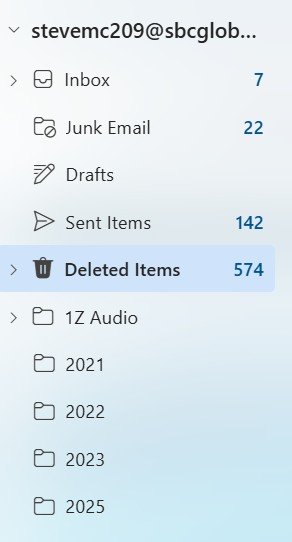
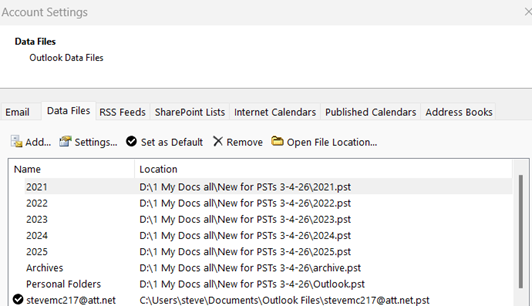
And apparently what I did, I believe, was that I must've somehow imported those archive pst's, before you said not to import. But as you can see on the attached, I must've impoted it into my sbc mail account. And actually, the inbox etc, on that acount on this Outlook 2024 is populating correctly. But that 1Z audio, & 2021, 2022, 20
Outlook left side.jpg
23, 2025 folders ( which all were archived psts) are what populated on my Yahoo mail app. Those are the ones I want removed/deleted from my Yahoo mail. And I don't intend at this time to use Outlook at all, only Outlook Classic, so if everthing on Outlook could go back to default, that would probably work also.

Thanks in advance for your patience with me. Being 77 is not as fun as it used to be..
 
it looks like the those PST were imported into the sbc account. If that is a pop account, the mail wasn't synced to the server. If you have another recent PST for the sbc account, you could replace this with it.
 
it looks like the those PST were imported into the sbc account. If that is a pop account, the mail wasn't synced to the server. If you have another recent PST for the sbc account, you could replace this with it.
That sbc account was added to Outlook as an IMAP account, but I will try putting in another pst to hopefully replace it.

I'll try that tomorrow and get back to you.

Thanks again,
 
Dead in the water... Now I can't even figure out how to see my account settings.
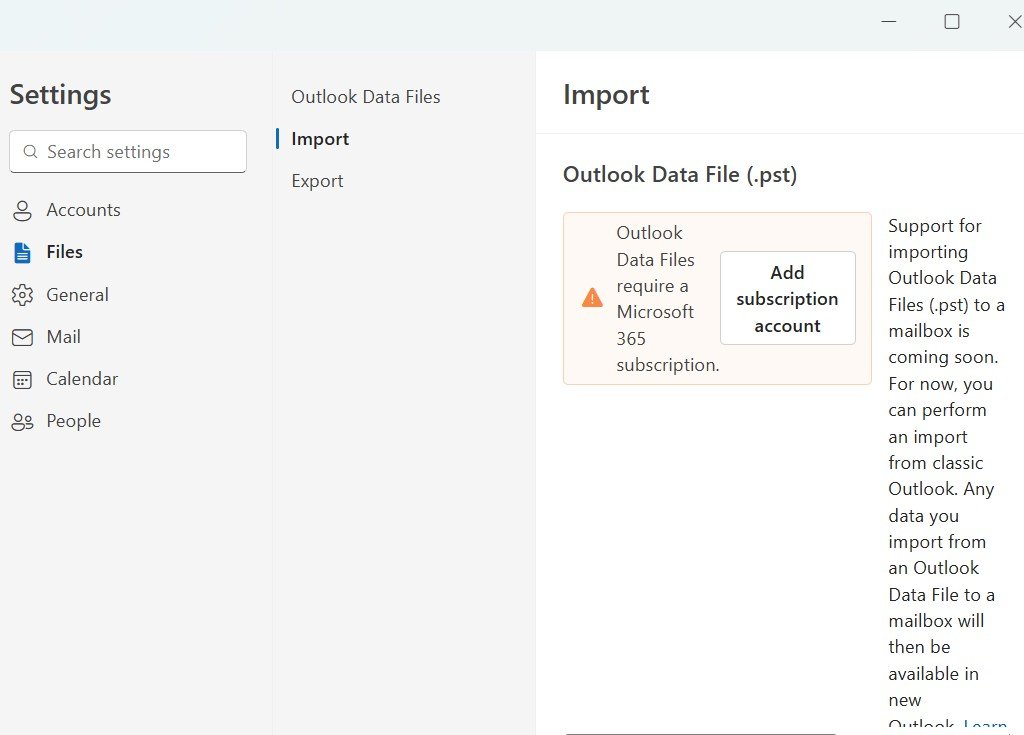
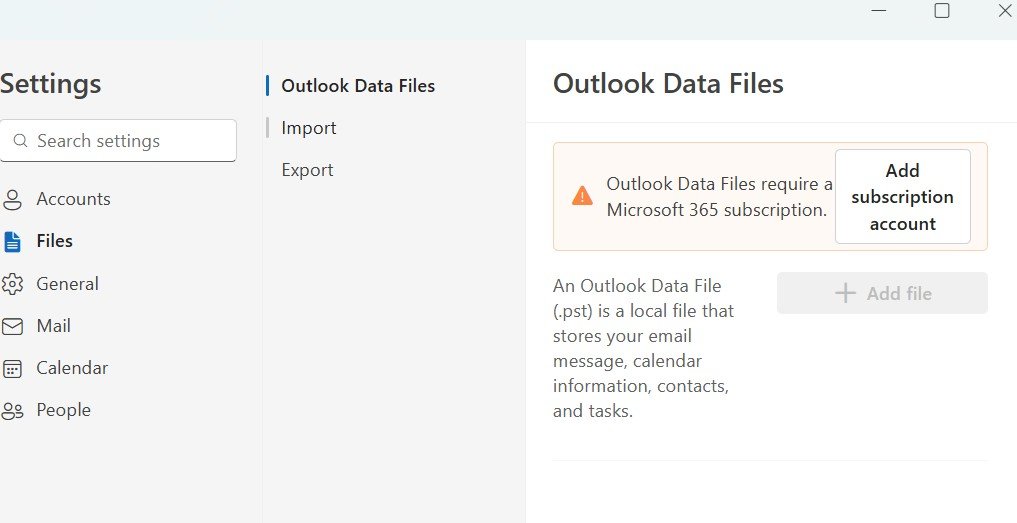
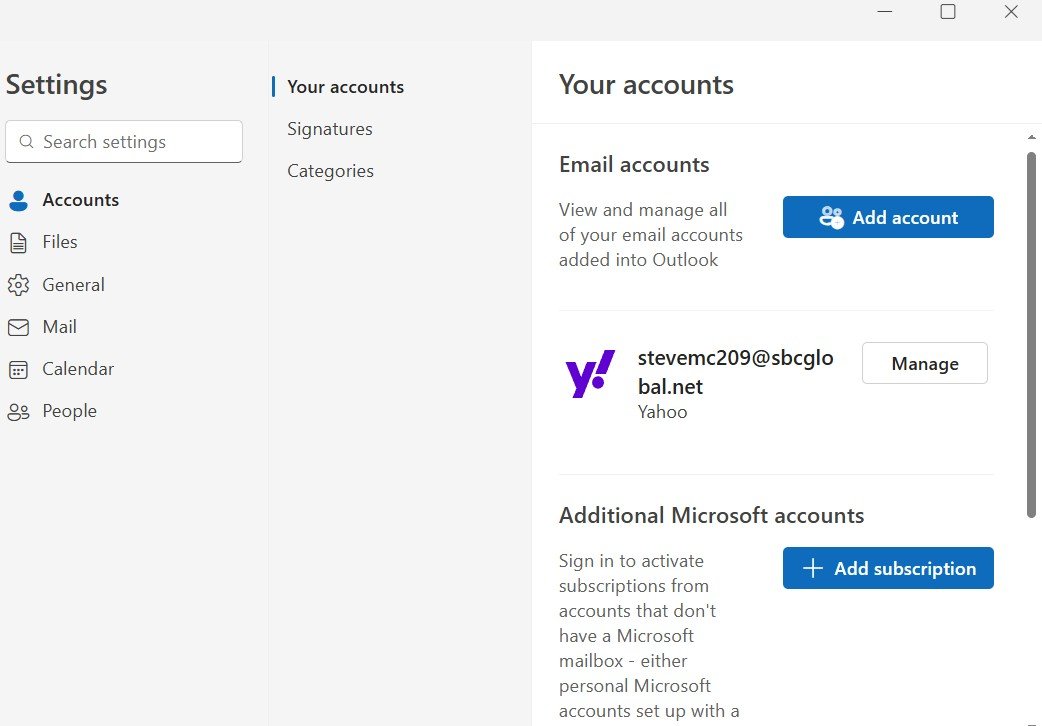
Attached are 3 screenshots:
~ Account settings
~ Outlook data files page
~ Import page

Import page.jpg


Outlook data files page.jpg


Accounts page.jpg
 
Here’s what I’m gonna try.

Following your suggestion… being that I already deleted that one IMAP account from Outlook, but only removed it from Outlook because I answered only this account and not all my devices, I’m gonna add it back in again as an IMAP, and then delete it from all, to see if that works. Unless you think I should try to import another recent PST first into that newly added IMAP account, and then delete it from all my devices.
 
Those pics are from the new Outlook app, not classic outlook.

Do you want to use new Outlook or classic? If you have office 2024 (or older) you have classic but it doesn't qualify as a license for new outlook.
 
Yes, those were from the Outlook 2024 , not Outlook Classic. Those were the IMAP accounts that I didn't want. I intend to use Classic with my POP accounts. I do have one POP account on Classic already.
I did get the IMAP account deleted from Outlook 2024, but all that IMAP data is still showing in my Yahoo Mail app, so I have to try to contact Yahoo to see how to remove that data from that Yahoo mail app. Also, as an FYI, yesterday, prior to me deleting that IMAP account, I did a search for .OST files, but nothing showed up.
 
OST files are at %localappdata%\microsoft\outlook - but only if there is an IMAP account in classic outlook.
So being that I have a POP account in Classic Oulook, it's going to continue to generate .pst files ?

How about if I eventually use Outlook 2024 with a POP account, will they also be .pst files ?
 
First off, thank you so much for all your patience with me.

And FYI, in case you're interested, Yahoo chat helped me out, though it was quite an ordeal. I had to go to Yahoo on the Web, sign in to that particular account, and then manully delete every folder that IMAP poplulated in that particular account. Bottom line is all those garbage folders are no longer showing on my Yahoo mail app.

Thanks again, and hopefully I won't need to bother you in April when ATT can provide me with my Secure Mail Key for my real accounts in Outlook Classic.

Though while I am here, one more question. I really didn't give Outlook much of a chance with all those IMAP problems. And also assumed that Outlook Classic would be much more comfortable for me, having used 2007 for almost 20 years. Is that a corect assumption on my part ? Or might Outlook probably also work well for me. Though I have gotten a bit comfortable using Outlook Classic for these 11 days.

Thankls again,
 
I think for IMAP (or POP) classic Outlook is better. And is very similar to Outlook 2007 in how it works (but the menus changed).

New Outlook will sync yahoo calendar and contacts, but it stores a copy in the Microsoft cloud. Classic Outlook syncs directly with the yahoo servers so mail is not stored on Microsoft servers.
 
Similar threads
Thread starter Title Forum Replies Date
TomHuckstep Remove Send/Receive All Folders (IMAP/POP) button from Outlook 365 Ribbon Using Outlook 2
e_a_g_l_e_p_i A few question before I decide to switch to Pop from imap Using Outlook 9
L Gmail POP, Android IMAP, Outlook 2013 setup close Using Outlook 5
E POP vs IMAP on iDevices Using Outlook 3
V Switching from IMAP to POP Using Outlook 3
D is it possible to have both a POP and IMAP account in Outlook 2013? Using Outlook 5
L IMAP and POP email in same Outlook system Using Outlook 1
M Converting from POP to IMAP with Comcast Using Outlook 5
P Changing from POP to IMAP; will this setup work? Using Outlook 1
B Outlook 11 for Mac - Imap or Pop Account Type Using Outlook 6
S Converting outlook 2010 pop account and folders to imap with gmail Using Outlook 1
Diane Poremsky Help required for multiple identities when switching from POP to IMAP Using Outlook 1
J imap and pop accounts to new server? Using Outlook 3
V Yahoo via POP Using Outlook 5
B Trying to Merge Gmail and POP/SMTP inboxes Using Outlook 4
e_a_g_l_e_p_i Outlook 2021 not letting me setup my Gmail using pop Using Outlook 1
CWM330 I'm thinking about switching back to POP Using Outlook 11
C Pop Server Changing Verizon/Aol to Yahoo Using Outlook 6
C Transfer Autocomplete from Pop to Exchange Using Outlook 3
P PST file is getting huge under POP 3 Using Outlook 2
H In outlook 365 POP mail Inbox, email takes a long time or never arrives. Using Outlook 1
B Copy/Move Exchange inbox to Pop inbox Using Outlook 4
O Get Outlook on your phone for free - web page pop up Using Outlook 8
J Change POP account to Forwarder - What happens in Outlook? Using Outlook 2
P Contacts gone missing in Outlook 2013 POP Using Outlook 4
I Make a macro in line rather than pop out Outlook VBA and Custom Forms 0
CWM330 Infomational pop up Using Outlook 2
J Why are emails for a different pop account copied to outlook.com account? Using Outlook 1
T Adding "Mark As Complete" btton to Task Remindet Pop-Up Using Outlook 3
G Outlook calendar entry corrupted. Constant pop up when you open outlook. Unable to delete or remove. Using Outlook 2
Jennifer Murphy Exit Without Sending pop-up restarts countdown Using Outlook 11
V Question on pop email Using Outlook 2
M Link POP account with Outlook.fr Using Outlook 1
C Outlook 2013 Windows Phone, Outlook 365/2013 POP Using Outlook.com accounts in Outlook 5
M Rule to pop a warning dialogue on certain actions Using Outlook 1
M Blank Pop-up Window when click "Manage Sharing" BCM (Business Contact Manager) 1
R Cant reinstall POP email account Using Outlook 2
S PoP up reminder while opening the outlook? Outlook VBA and Custom Forms 1
S Pop up reminder while i close outlook Outlook VBA and Custom Forms 5
T Constantly Occuring Login Pop-Up Window Using Outlook 1
P POP mail password popup after I deleted the accopunt Using Outlook 6
Sarge USMC Outlook 13 not displaying POP inbound emails Using Outlook 12
S Transferring POP emails from Outlook 2002 to Outlook.com email in Outlook 2013 Using Outlook.com accounts in Outlook 8
O Outlook 2013 EAS Account and POP Account - Common Sent Folder Using Outlook.com accounts in Outlook 21
S categories are being cut off after selecting from category pop up form Using Outlook 3
K EAS and POP folders in Outlook 2013 Using Outlook.com accounts in Outlook 4
A How to disable the pop-up “Reponses to this meeting will not be tallied." Using Outlook 0
O Multiple Exchnage profiles simultaneously and hovering pop-up contact card ! Using Outlook 17
D Imported Tasks - Pop Up does not work Using Outlook 3
S Removing an Exchange Server account, retaining POP accounts Exchange Server Administration 1

Similar threads

Back
Top